
A Campflame app
Made for iPhone
Burn
Your meals.
Your progress.
Less typing.
Keep a food diary, macros and weight history on your iPhone. Burn Pro adds photo or text meal suggestions that you review before saving.
- On the App Store
- No account required
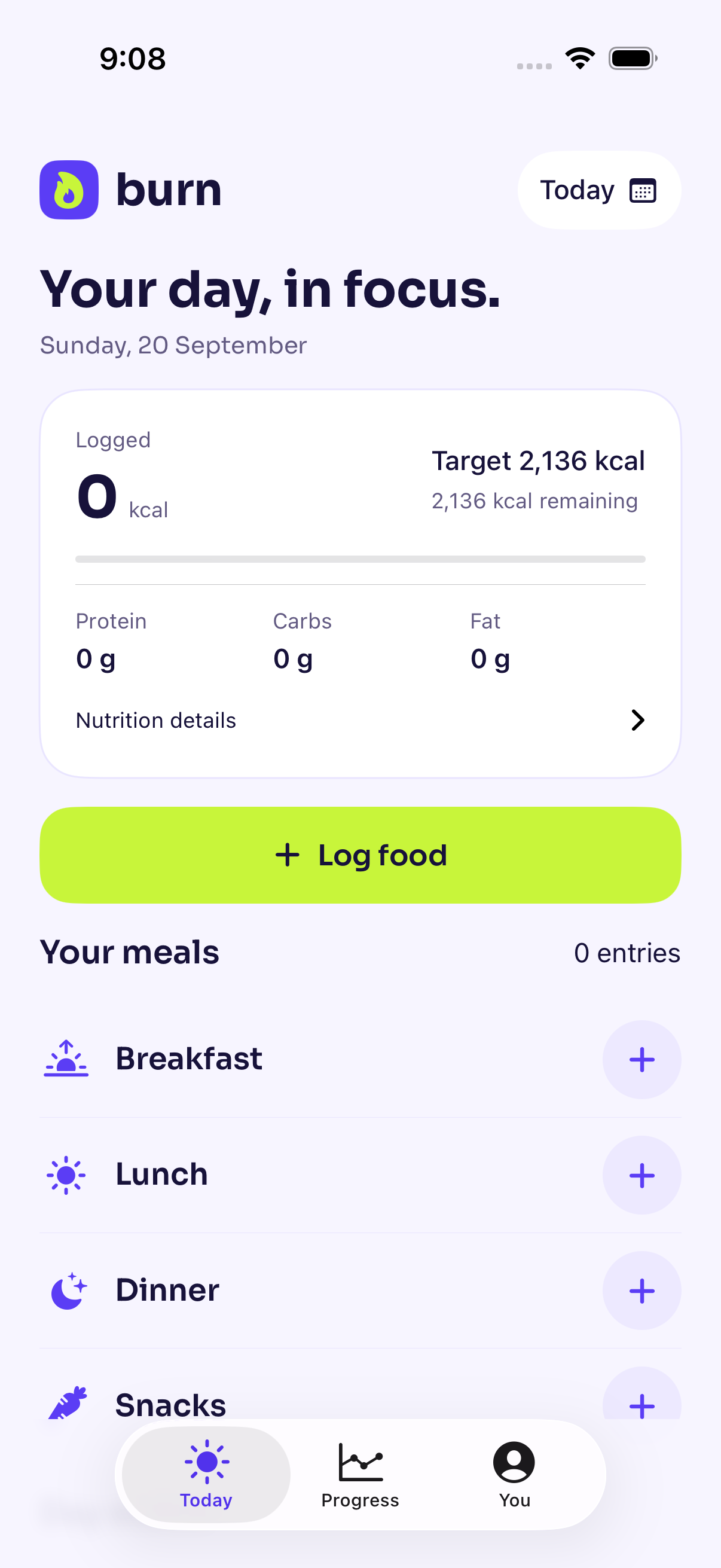
Find and log foodSearch, typed barcodes and manual entry
Review every amountSources, portions and macros before saving
Choose what you shareSeparate optional privacy controls
Inside Burn
Small steps. A useful daily habit.
Real app previews with example data.
01 / Make the portion yours
A cup, a serving,
or the weight you measured.
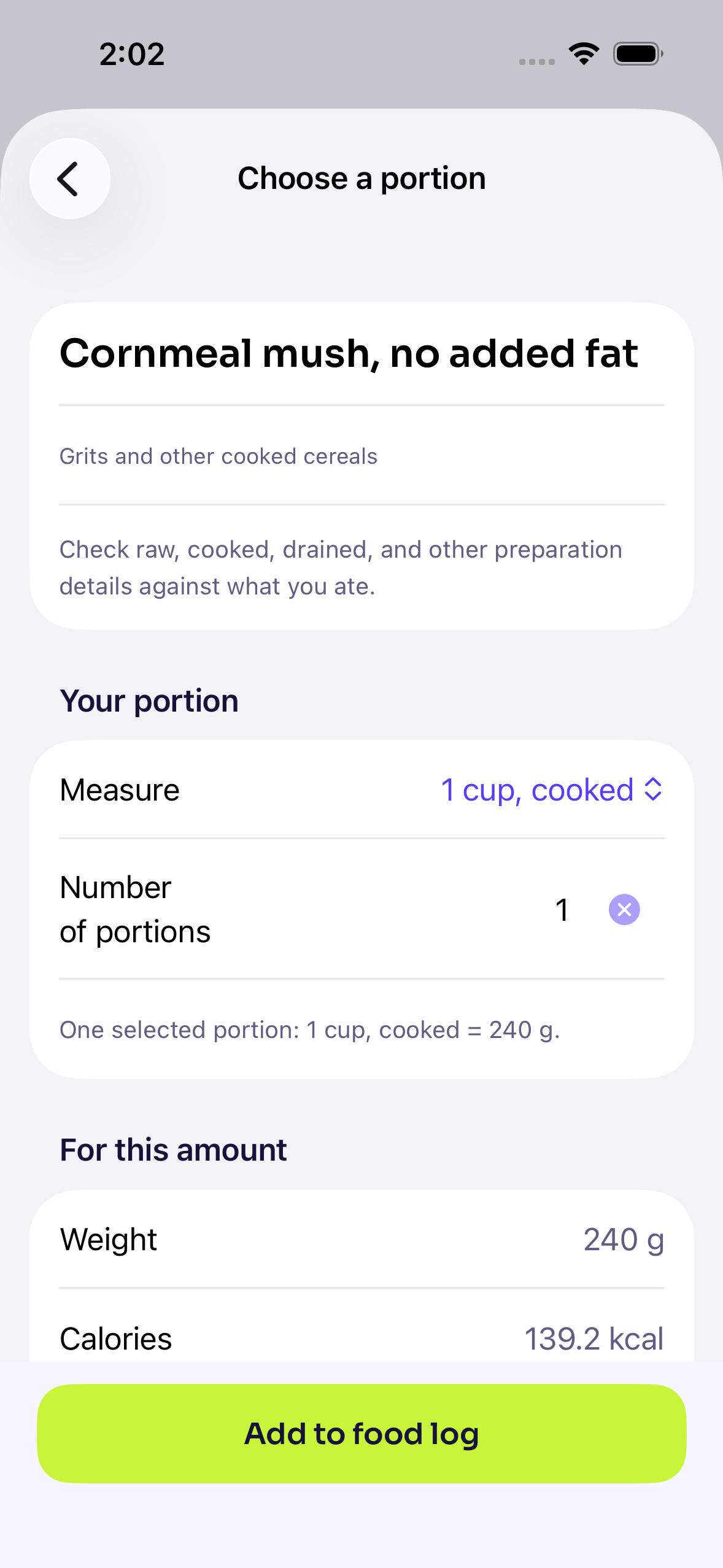
Check the food’s preparation and source, then choose how much you ate. Burn keeps the portion and its nutrition together so you can check them before saving.
- Everyday foods, ready offlineSearch the bundled catalog without an account.
- More ways to find a productSearch online, type a barcode or use the scanner when it is available. Public barcode coverage varies, so manual entry is always there.
- Your usual meals, rememberedSave custom foods and recipes for meals you make again.
02 / Review a meal with Burn Pro
Start with a photo
or your own words.
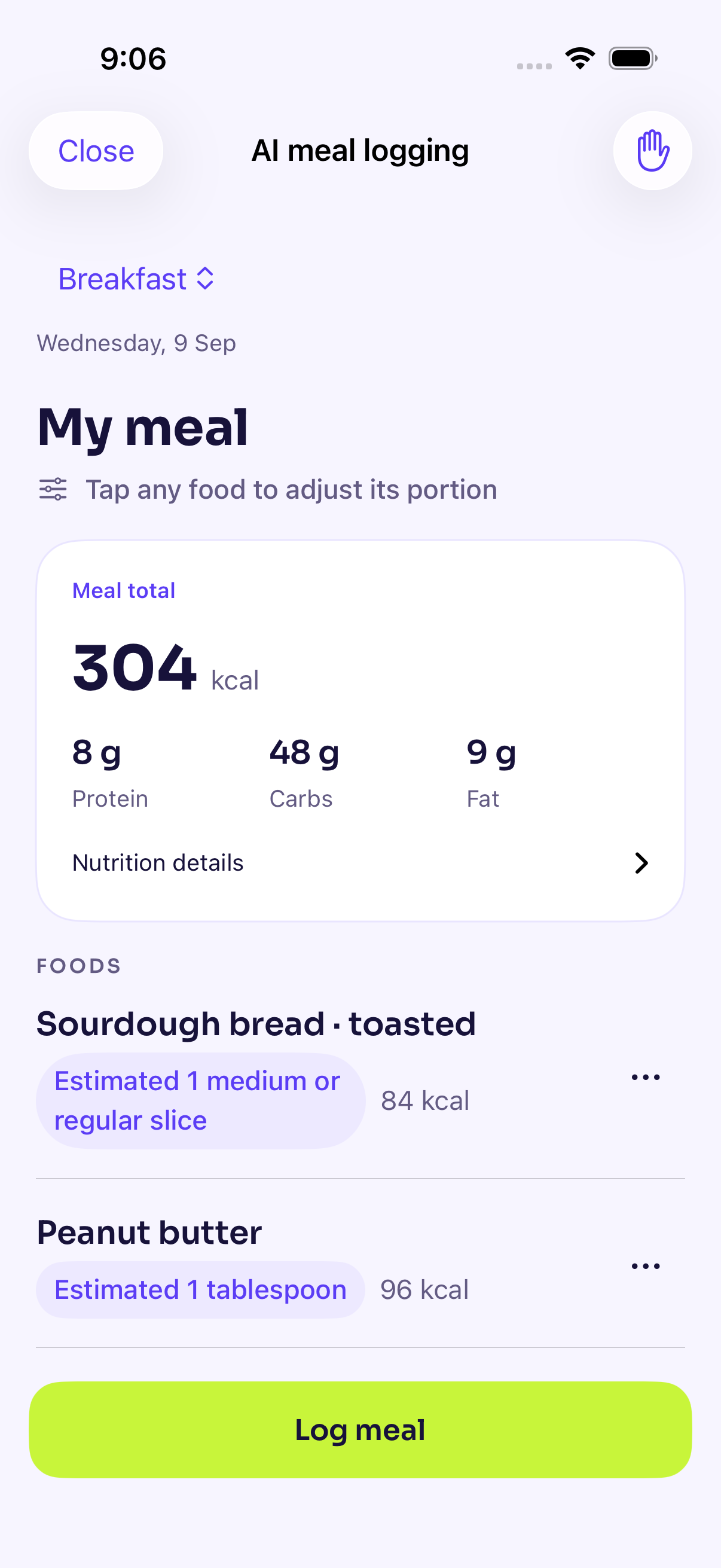
Turn a meal photo or description into an editable meal. Burn uses matching food records when available and clearly marks AI-estimated nutrition when a record is missing. Adjust a portion in familiar units, then log the meal once.
- Suggestions stay editableChange the food, amount, meal or date before you save.
- Your essentials stay freeManual logging, your diary, macros, saved foods, recipes, weight history and exports do not require Pro.
- Pro also brings the day closerSee today’s summary in the Burn widget and follow a personal maintenance range when it applies.
AI meal review needs Burn Pro and an internet connection. Your diary stays available whenever AI is not.
03 / Keep the choice yours
Your diary stays personal.
Your food and weight records live on your iPhone. Export a backup when you want a recovery copy, and choose whether to connect Apple Health.
Anonymous usage statistics and crash reports are on by default, each with its own switch in Privacy and sharing. Online search and purchase services have their own data needs, explained in the privacy policy.
Read Burn’s privacy policy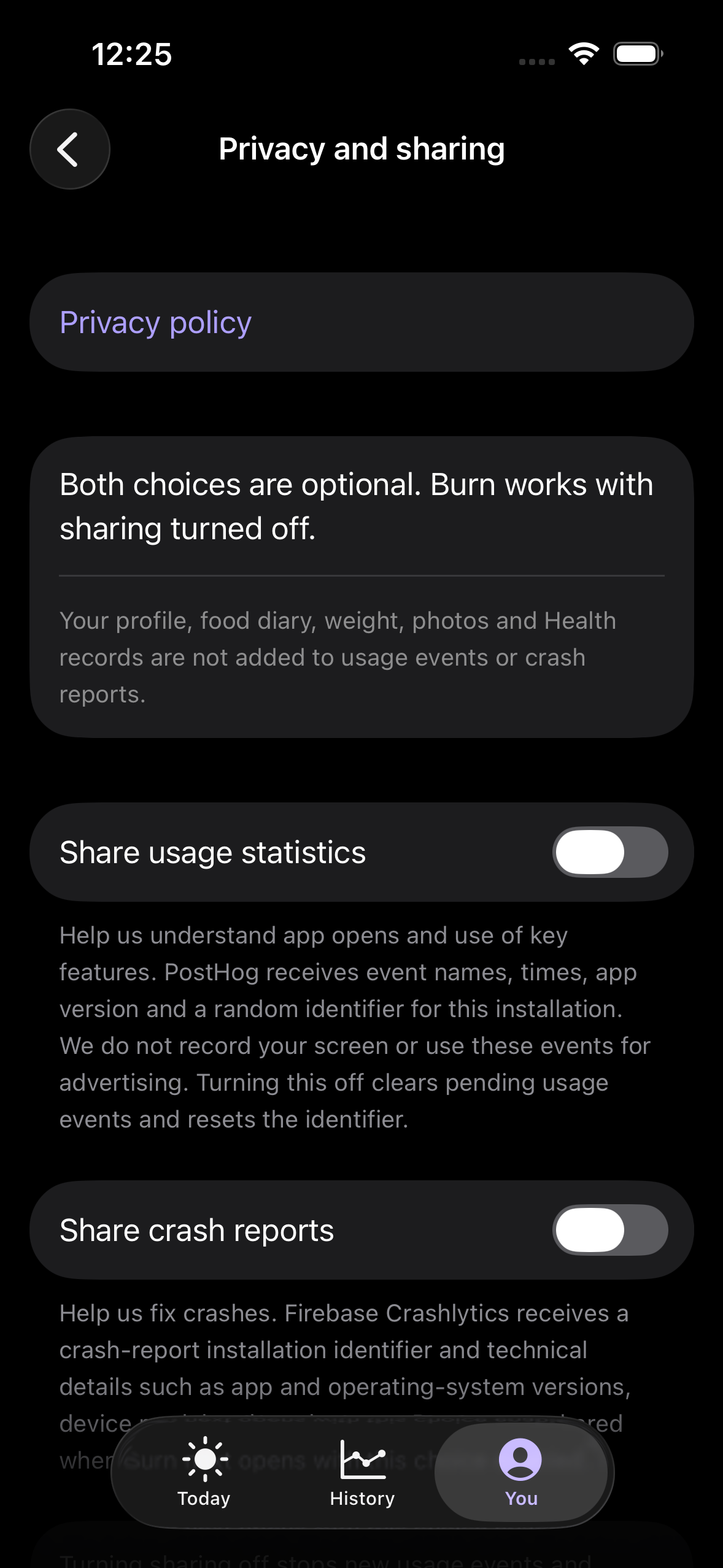
Built around everyday use
More than a starting number.
- Start with an estimateUse a TDEE estimate as a starting point, with your goal and activity in context.
- Keep a useful local historyReview diary totals and macros, record weights, revisit previous days and correct entries when you need to.
- Read a label on your phoneOn-device text recognition helps with manual food entry. You check the values before saving.
- Keep a manual recovery copyExport a Burn backup through Files to a location you trust. Burn does not automatically back up or sync your diary through iCloud, and restoring a backup replaces current records.
Burn provides general information and estimates, not medical advice. Guidance is intended for suitable adults. App previews use example data.